
Channels
Mobile Control Anytime (Optional)
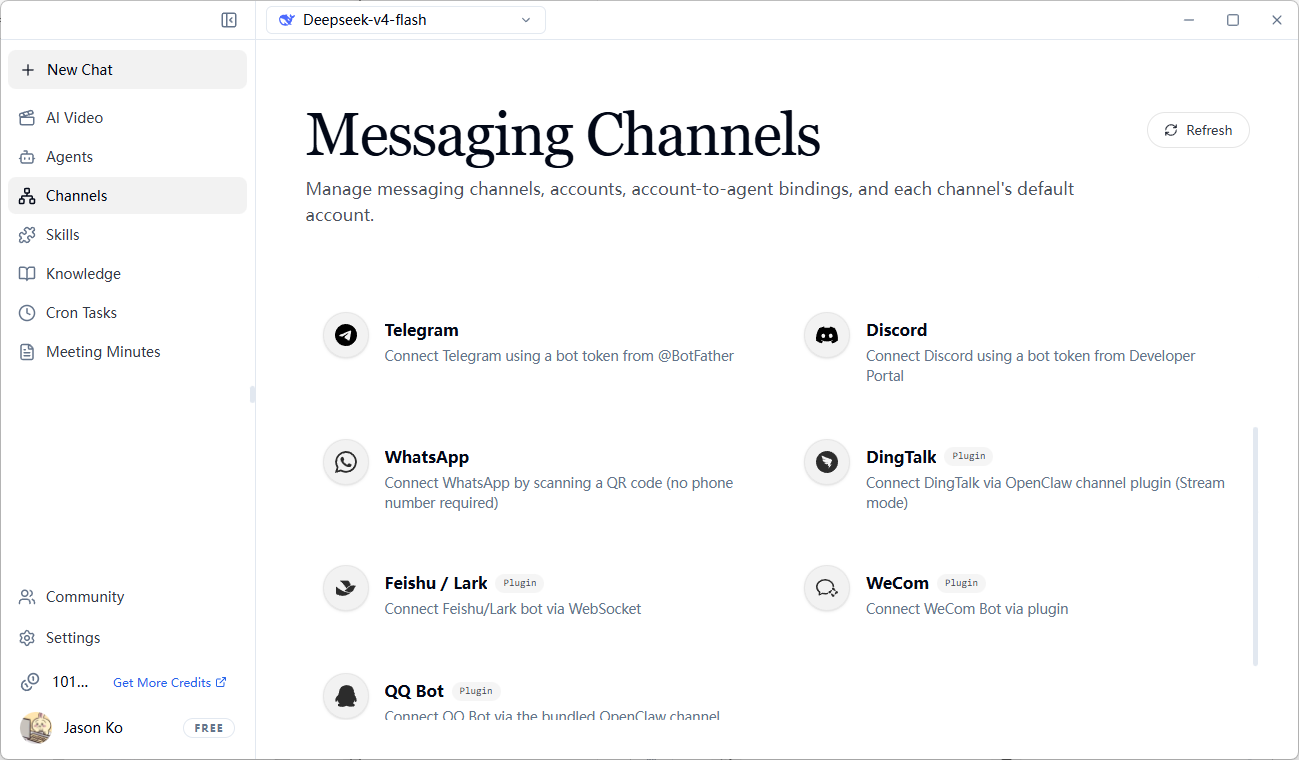
Integrate Message Channels
- Click
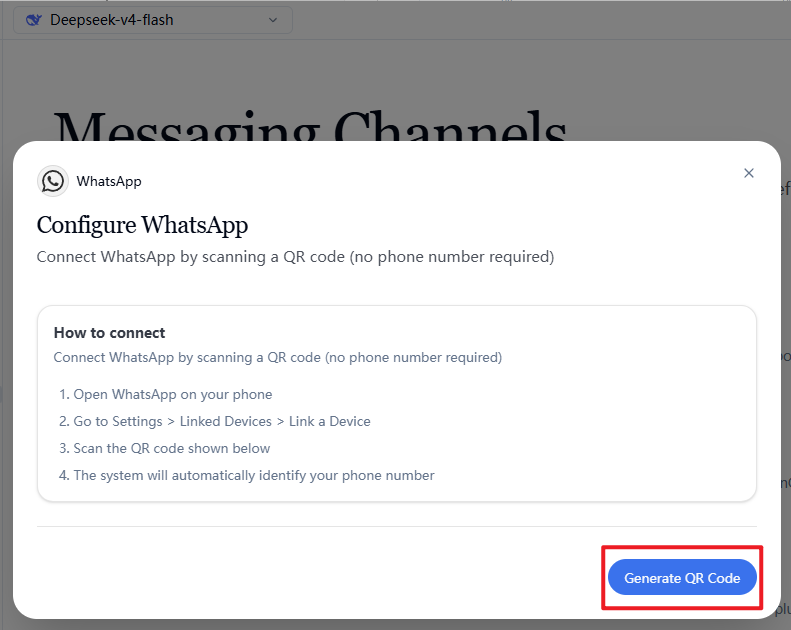
Channels→ Select a platform (Telegram / WhatsApp / Discord / Lark / WeCom, etc.) - Follow the instructions to complete the binding (e.g., WhatsApp requires scanning a QR code, Telegram requires obtaining a token from @BotFather)
Send Commands from Your Phone
WeChat Example:
Configure the Agent Assistant Bound to a Channel (Optional)
The default configuration uses Main Agent. You can configure different Agent assistants based on actual business needs.
- Go to the configured channel and check if "Bound Agent" shows "Not Bound"
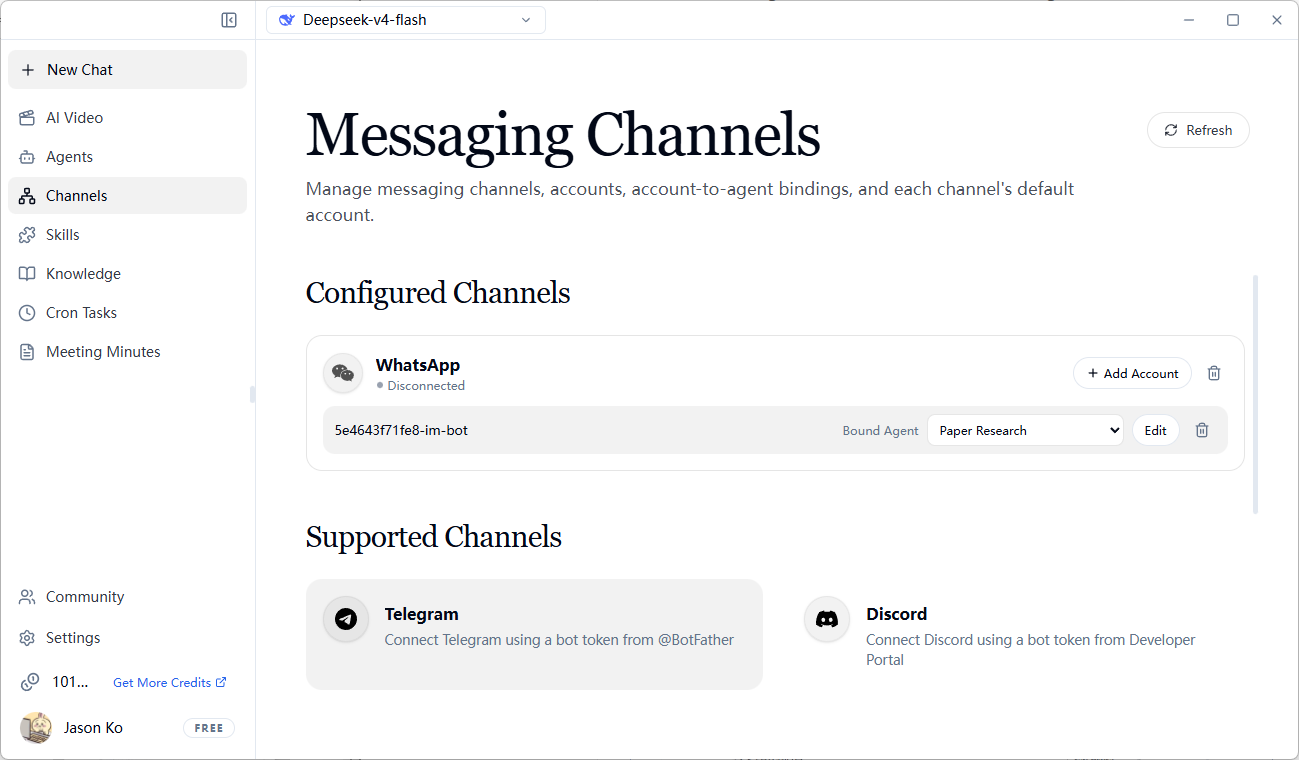
- Click the "Not Bound" dropdown and select a configured Agent (see section 3.1 Agent for details)
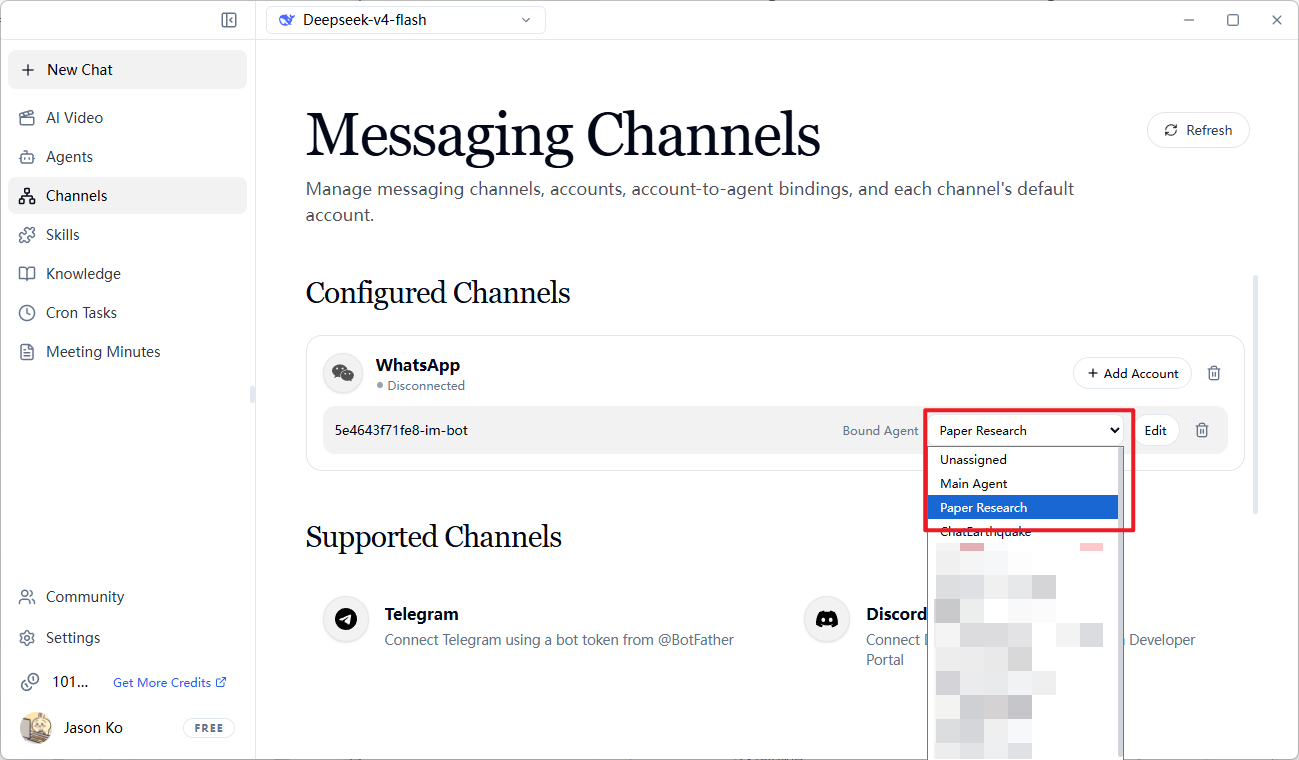
-
Wait for the gateway to restart (about 10 seconds)
-
Chat with the bot in the channel (e.g., WhatsApp) to remotely contact this Agent assistant
Frequently Asked Questions
Q: Will connecting to WeChat affect my account information and property security?
No need to worry at all. It's essentially like adding a 24/7 online AI friend. It will only see the content of your conversations with it and cannot access any information on your phone — just like how your WeChat friends cannot directly view your phone data or account balance.
Q: Can I use this feature without an internet connection?
No. This feature requires both FlowyAIPC and your mobile device to have internet access in order to send and receive messages.