

FlowyAIPC Quick Start Guide
Get started in 5 minutes — let AI become your intelligent digital employee
I. First-Time Launch Preparation
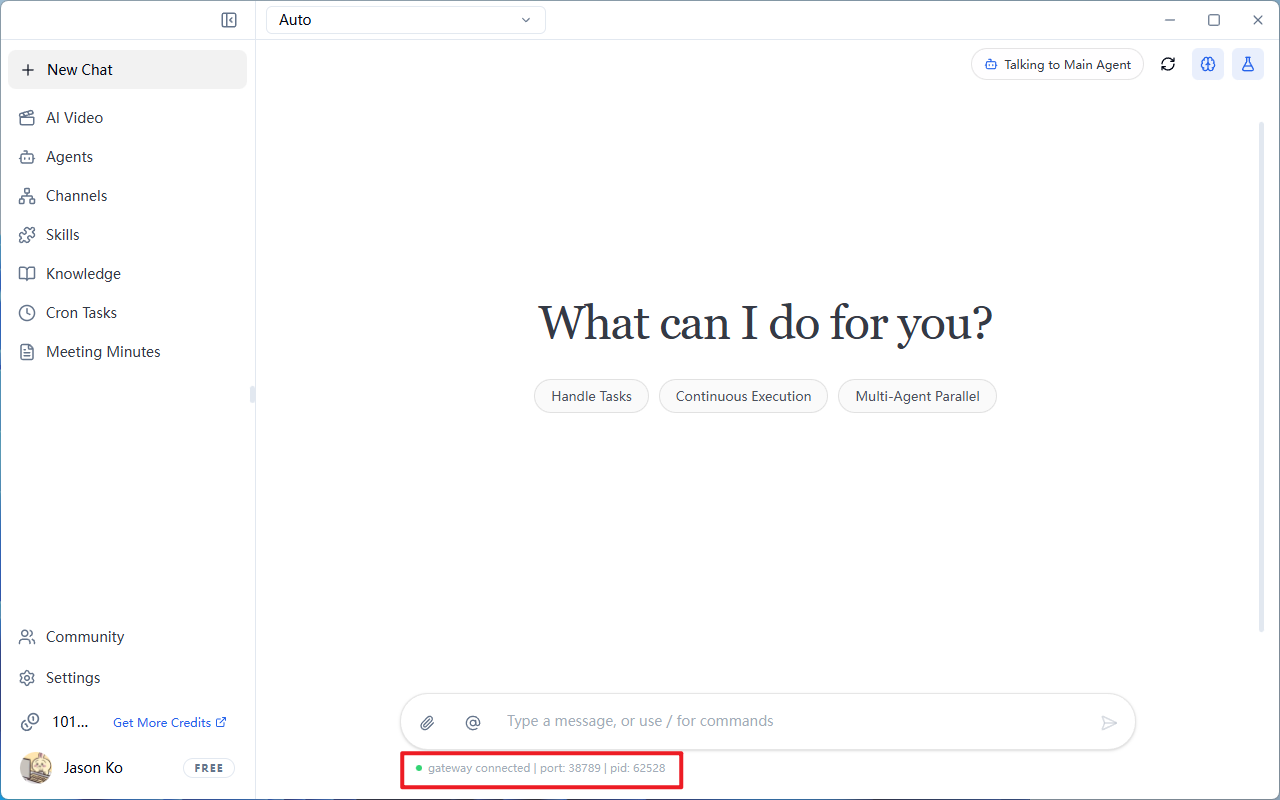
1.1 Check Service Status
- Launch FlowyAIPC
- Confirm the bottom-left status bar shows
Gateway Connected(usually displaying a port number like18789)
It takes about 5 seconds to load the gateway when opening FlowyAIPC
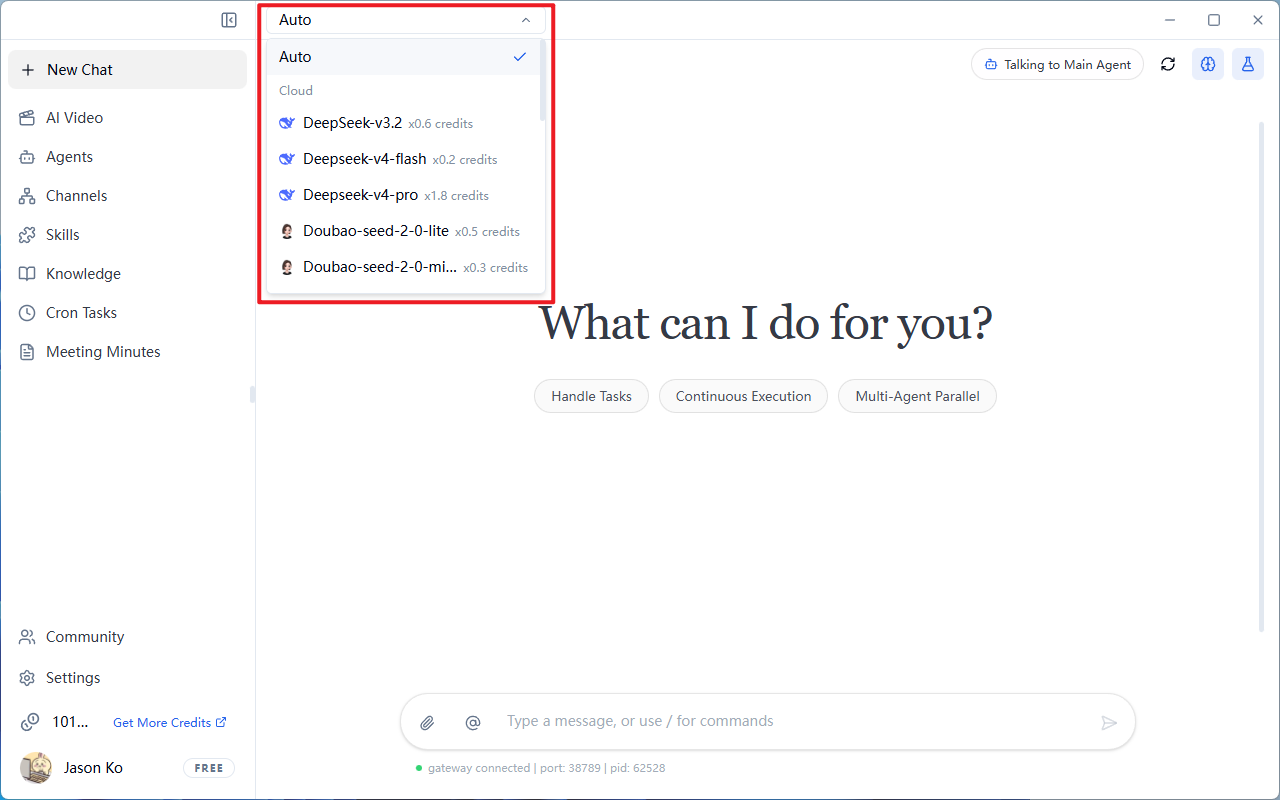
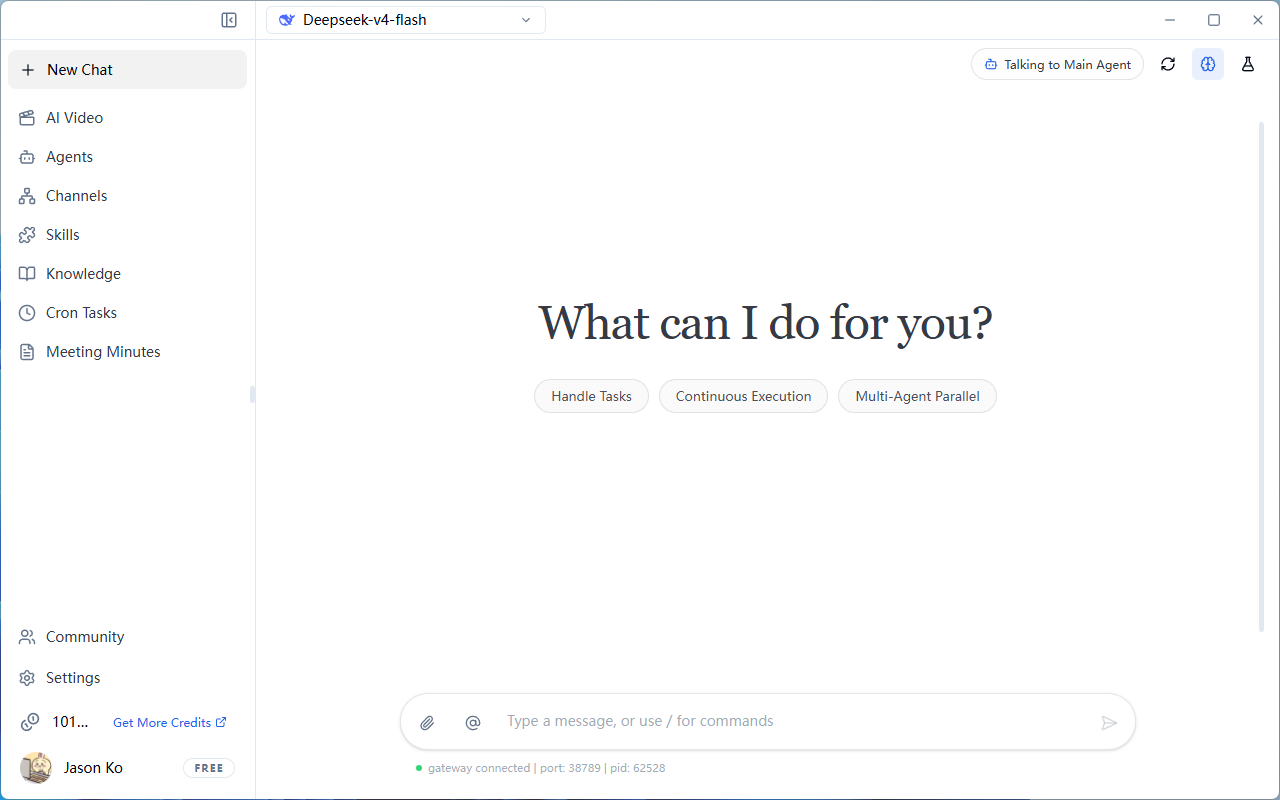
1.2 Select the Appropriate Model
Tip: Enable Auto mode at the top, and the system will automatically match the most cost-effective model.
1.3 Select Local Model (Optional)
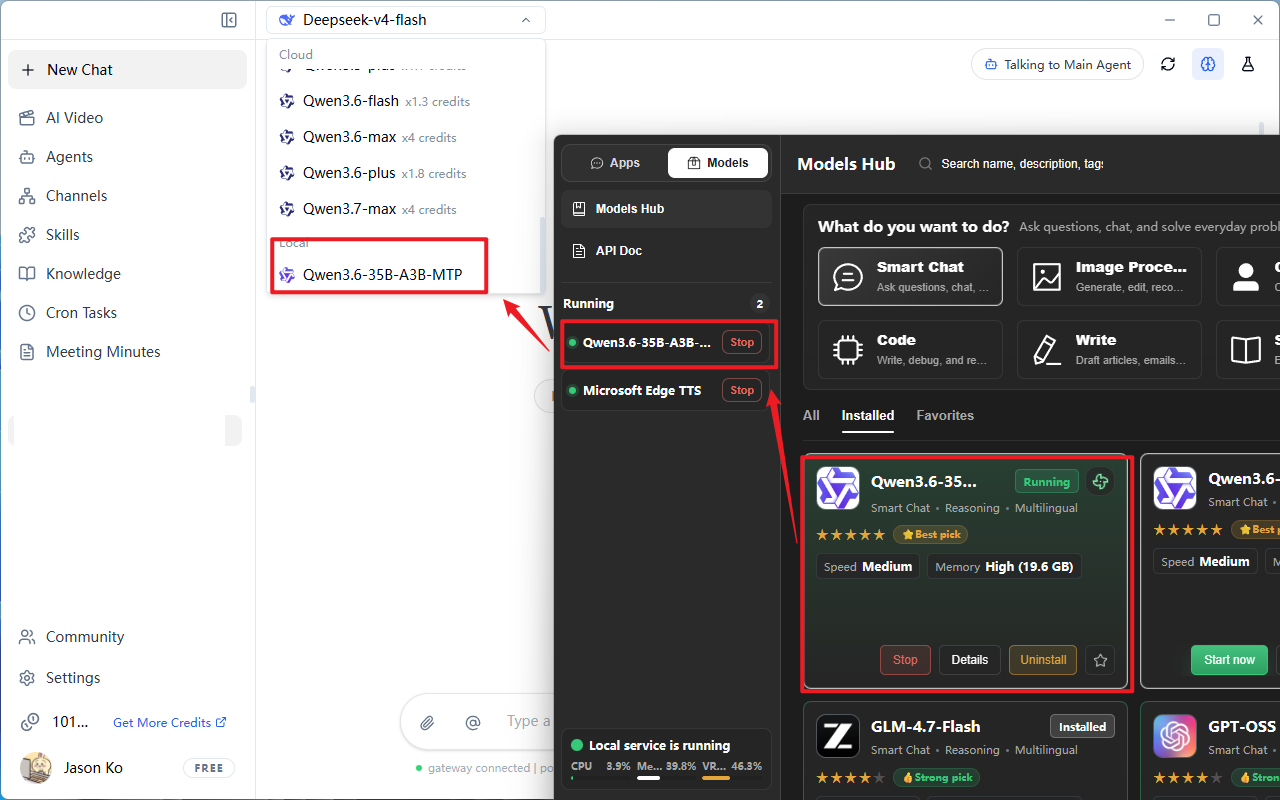
If you have downloaded or already have the Herdsman local model inference engine, FlowyAIPC can automatically detect locally downloaded, installed, and running models on Herdsman.
Note: Ensure Herdsman is downloaded, installed, and running a local model before use.
- Drop down the model selection box, scroll to the bottom
- Select the desired model under the "Local" category
II. Start Your First Conversation
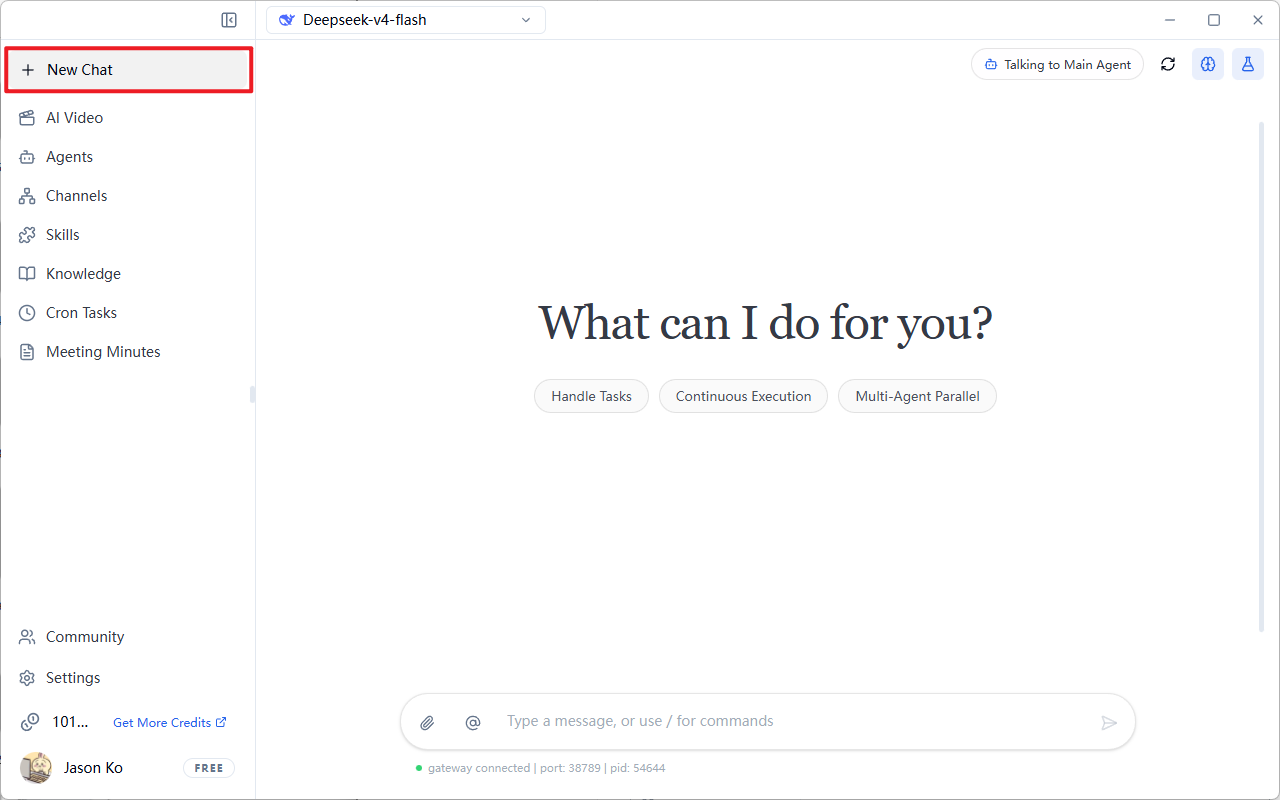
2.1 New Conversation
- Click the
+ New Conversationbutton in the top-left corner
The system will create a conversation window with a fresh context (previous memories will not be carried over)
Suggestion: Use a new conversation for each independent task to improve response speed and save tokens
2.2 Talk to the Main Agent
-
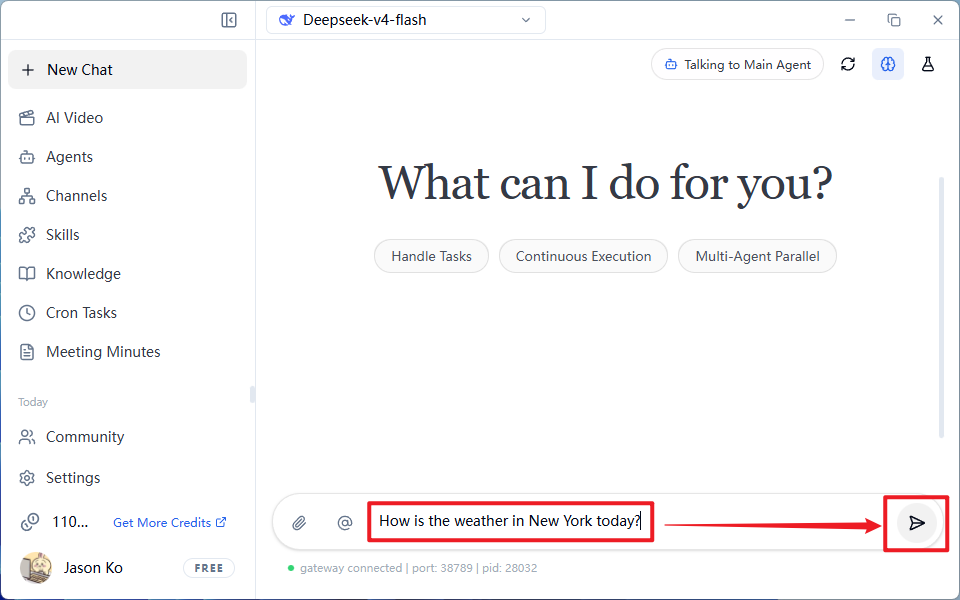
Enter your task instruction in the input box to assign tasks to the agent
Input Box Examples:
-
Click the triangle icon on the right to send the message
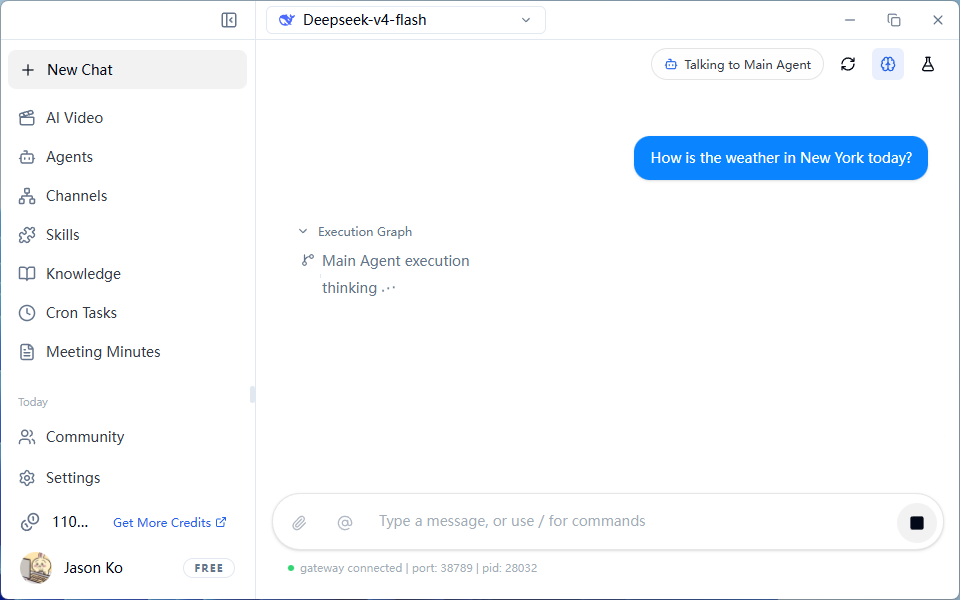
- Wait for the AI to process — the interface will display "AI assistant is thinking..."
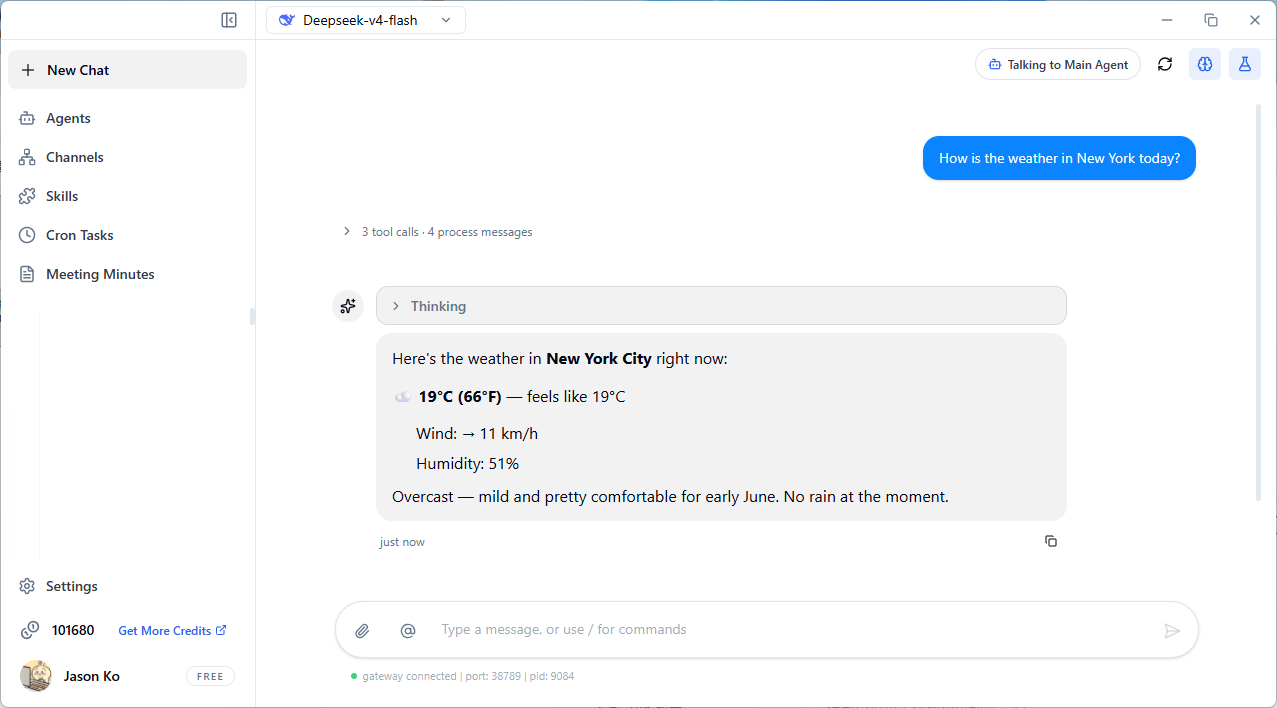
- View the returned results
Frequently Asked Questions
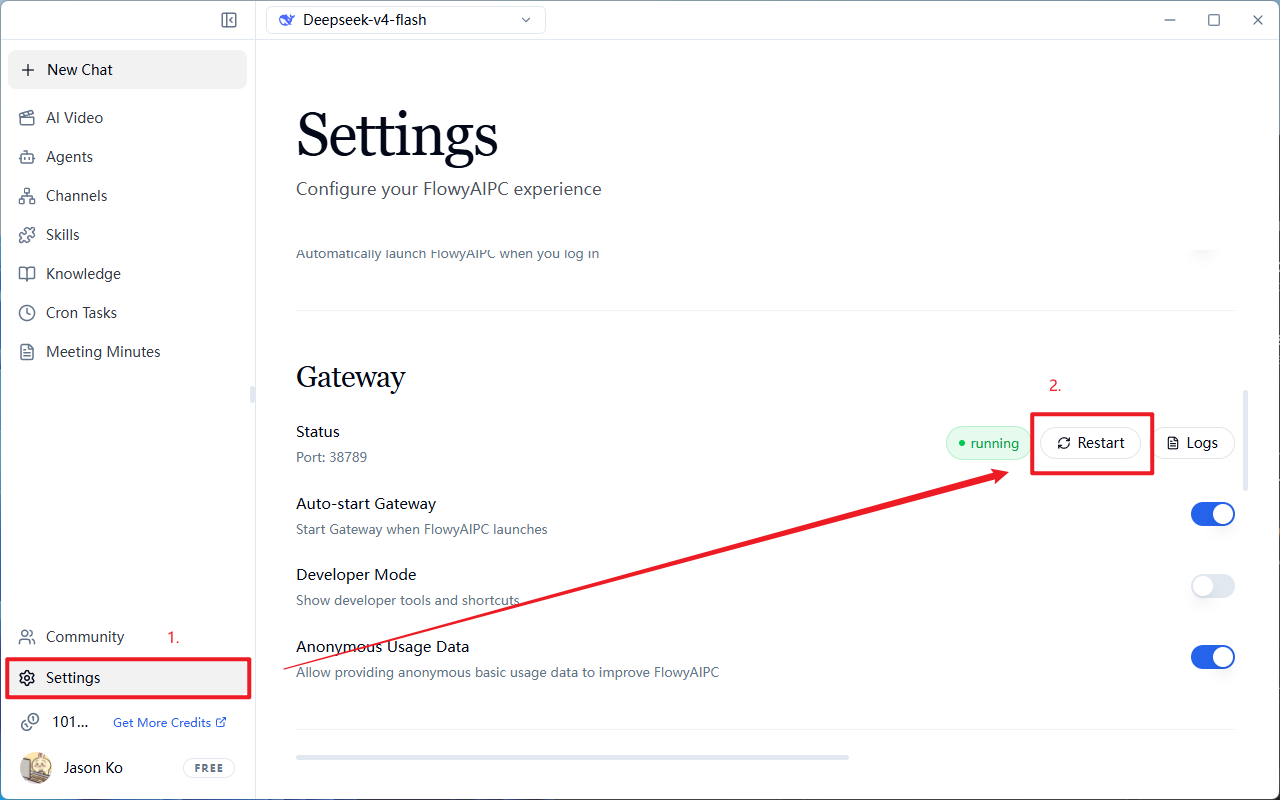
Q: The bottom shows "Gateway service not running" for a long time
- Click Settings → Scroll down → Restart Gateway to retry
Q: Why does a task take over ten minutes and still not finish?
- FlowyAIPC does not simply retrieve online information and return a reply; it actually attempts to complete your task. Complex tasks take more time, please be patient.
- Tasks with clear and well-defined steps not only improve task completion accuracy but also effectively increase execution speed. It is recommended to provide clearer task objectives and execution steps, for example:
- Recommended: "Organize the material folder on my desktop, separate images and videos into two folders"
- Not recommended: "Clean up the desktop"
Q: What if the task execution result is poor?
Clear Instruction Structure (Eliminate Ambiguity)
FlowyAIPC cannot guess your implicit intent. Vague instructions will inevitably lead to vague results.
- Wrong example: "Write a proposal."
- Correct approach: Must include Role + Task Objective + Background Information + Output Requirements
- Role: You are a senior market analyst
- Objective: Write a market entry strategy for new energy vehicles
- Background: Target users are young families in second-tier cities with limited budgets
- Requirements: Approximately 800 words, discuss in three points, professional and objective tone
Break Down Complex Tasks (Execute Step by Step)
FlowyAIPC's processing capability is limited by context length and logical depth. Do not attempt to complete complex multi-logic nested tasks with a single prompt.
- First, ask FlowyAIPC to outline key points
- After confirming the outline, request detailed expansion
- Finally, adjust formatting or polish the content
Provide Reference Samples (Establish Standards)
If you have specific format or style requirements, you must provide examples. This is more accurate and efficient than using large amounts of descriptive text.
- "Please imitate the style of the following text..."
- "Please output data in the following table format: [Column A] | [Column B] ..."
Iterate and Provide Feedback (Manual Correction)
The first draft generated by FlowyAIPC is usually just a "semi-finished product." Do not expect perfection on the first attempt.
- If content is vague → Instruction: "Please add specific data to support the argument."
- If logic is confusing → Instruction: "Please reorganize the causal relationship in the second paragraph."
- If format is incorrect → Instruction: "Please output strictly in JSON format."