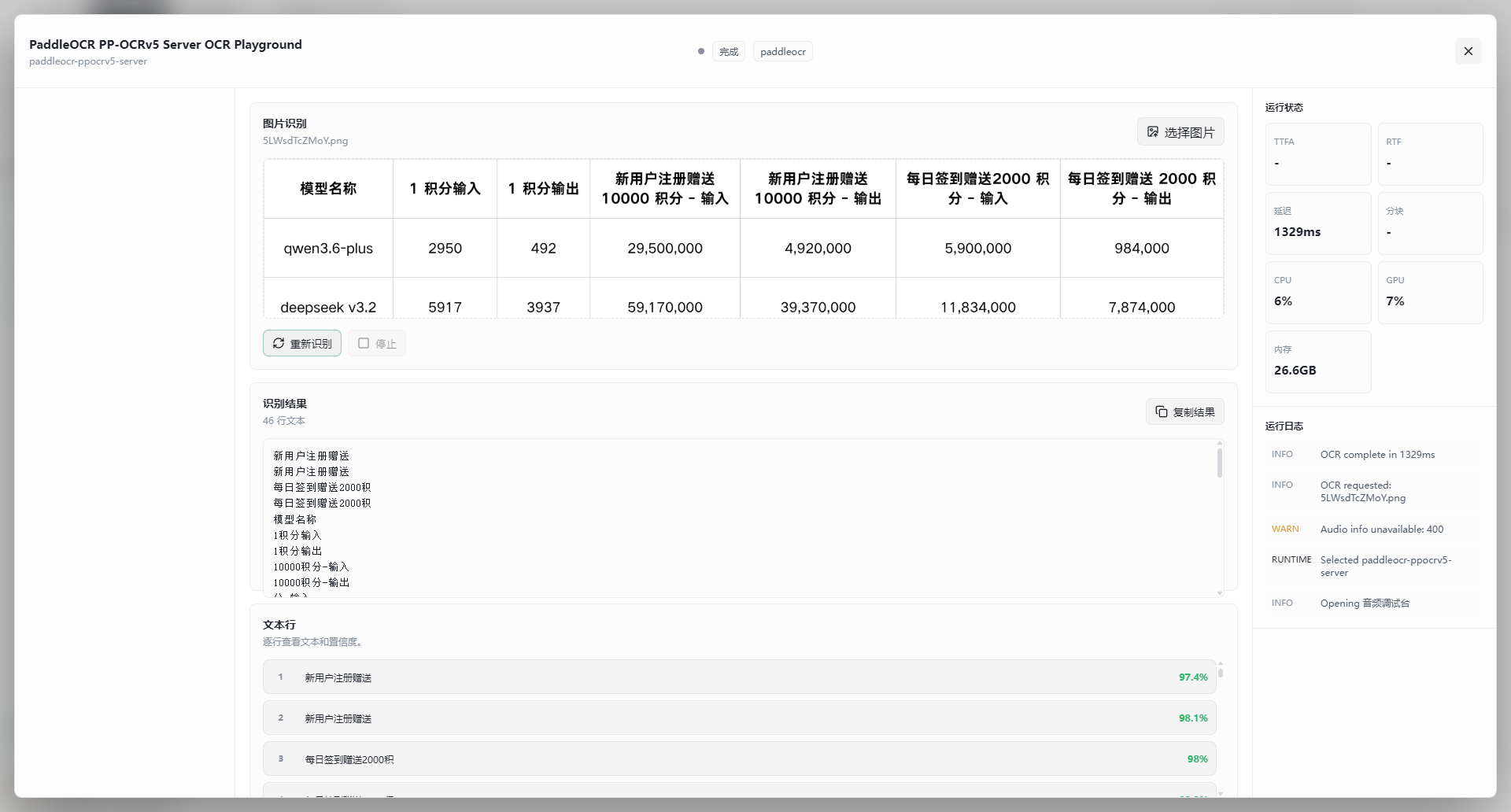
OCR Playground
OCR Playground is the dedicated testing interface for OCR models (such as PaddleOCR) in Herdsman. Upload an image and inspect the recognized text, confidence scores, and runtime status — no code required.
Launching an OCR Model
-
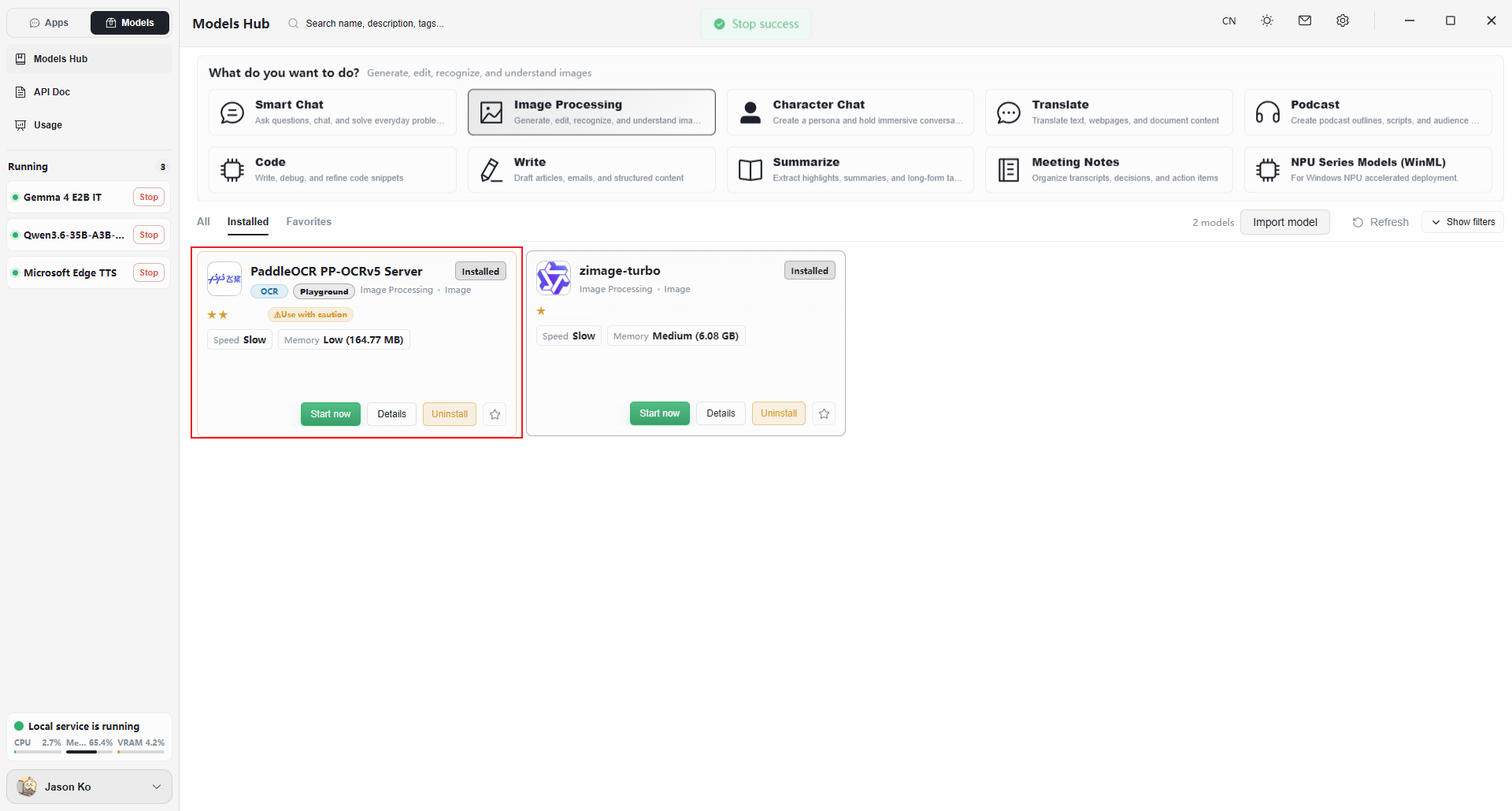
Open the Models page.
-
Click Image Processing in the top filter bar, or locate any model tagged OCR in the list.
-
Click Launch Now on the model card.
-
Wait for the status to switch to Running, then click View Details (or click the card itself) to open the Playground.
Interface Overview
The OCR Playground is built for image workflows and contains three core regions:
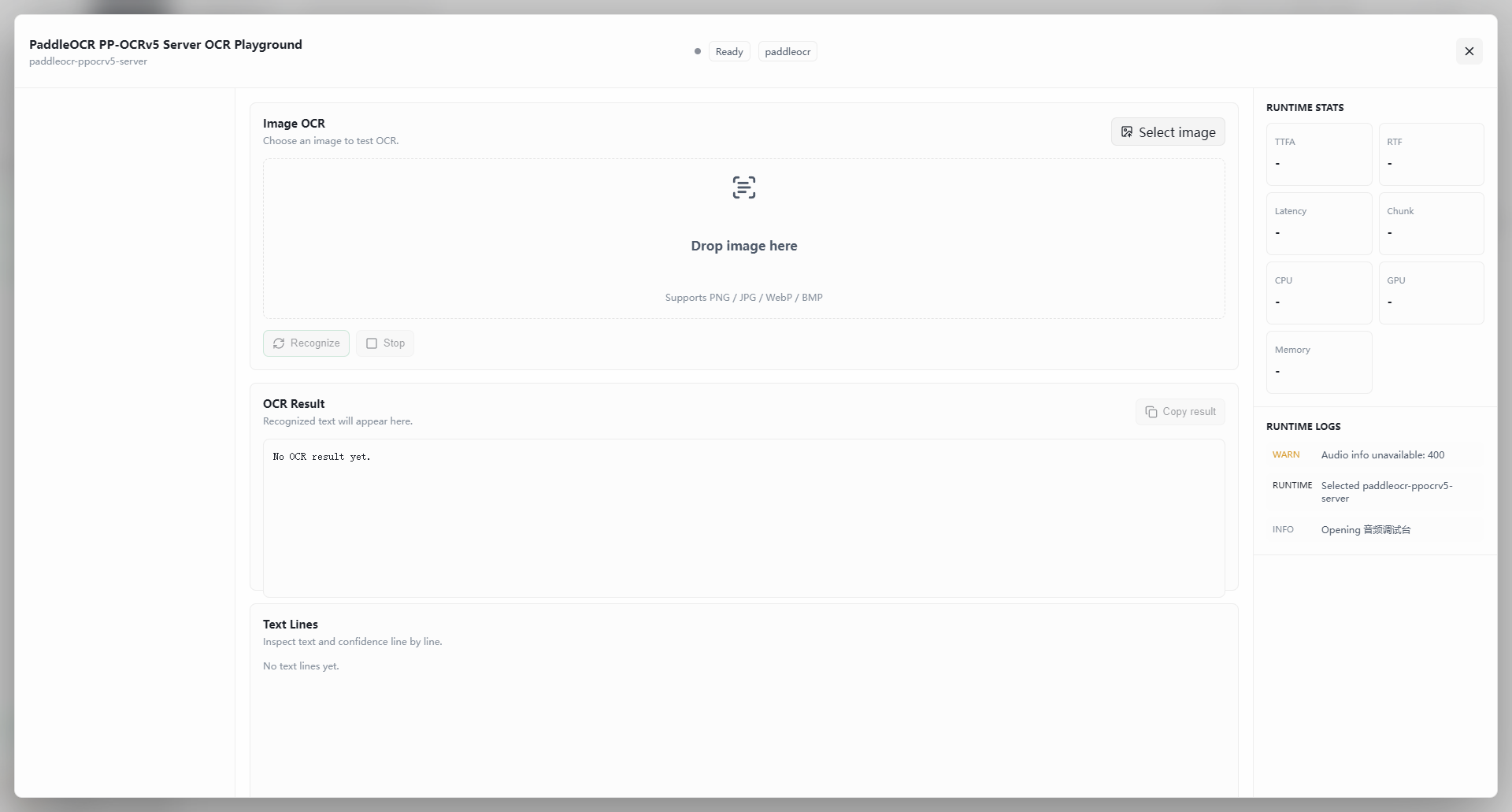
Image Input and Controls (top)
- Upload methods:
- Drag-and-drop — drop an image onto the dashed area.
- Click to choose — click Select Image in the top-right corner.
- Supported formats: PNG / JPG / WebP / BMP.
- Action buttons:
- Recognize — start text recognition.
- Stop — cancel a long-running or unwanted job.
Recognition Results (middle and bottom)
Results are presented in two views:
- Full text:
- The complete plain-text result is shown.
- Click Copy Result to copy it to the clipboard.
- Text lines (structured):
- Per-line view — each recognized line is listed separately.
- Confidence — each line shows a confidence score (e.g.,
0.98), letting you see how certain the model is about ambiguous characters.
Runtime Monitor (right sidebar)
- Performance metrics:
- TTFA / RTF — time-to-first-answer and real-time factor (recognition speed).
- Latency / chunks — processing latency and data chunking.
- Hardware usage — live CPU, GPU, and memory utilization.
- Run log:
- Shows
WARN,RUNTIME, andINFOentries to help diagnose load failures or recognition issues.
- Shows
Recommended Workflow
- Prepare an image — a clear screenshot, scan, or photo containing text.
- Upload — drop the image into the recognition area.
- Run — click Recognize at the bottom left.
- Verify:
- Check the full text for completeness.
- Inspect the text lines view for any rows with low confidence (below 0.6 is suspect).
- Export — click Copy Result and paste the text into your destination document.