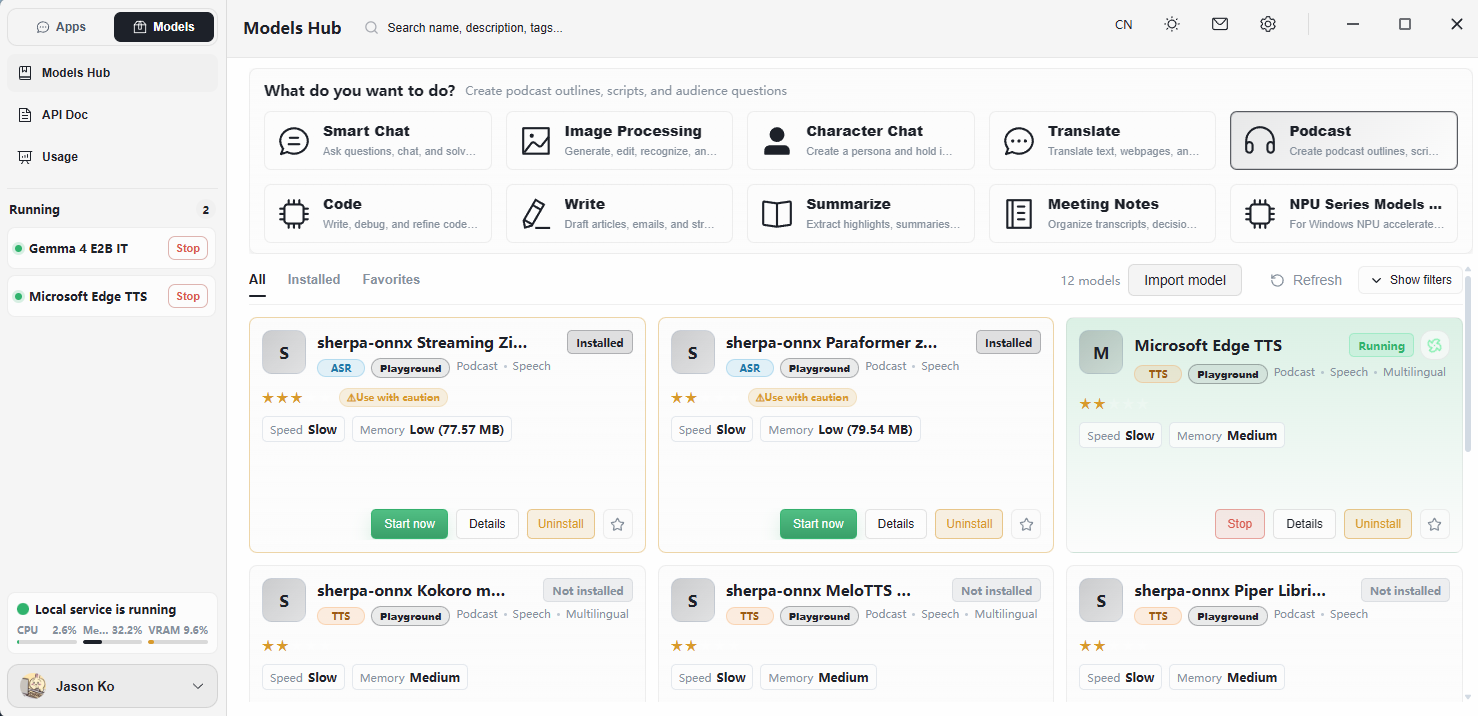
What Is a Large Language Model?
A large language model (LLM) can be thought of as:
A super-intelligent AI brain that has read most of the internet and can chat, write, and answer questions in natural language.
For example, when you talk to ChatGPT, an LLM is doing the work behind the scenes — it interprets your input, then generates a coherent response.
A Simple Analogy
Imagine an extraordinary student who has read:
- Tens of millions of books
- All of Wikipedia
- Countless forums, news articles, and research papers
- Vast amounts of source code
This student has an exceptional memory — not by memorizing word-for-word, but by understanding the patterns of language and knowledge. Whatever you ask, they can take a reasonable shot at answering. That "student" is the large language model.
How Is It Different from a Traditional Program?
The key is: you speak to it in plain language — no programming, no menus, no special syntax required.
What Can It Do?
- Conversational Q&A — like the conversation you are having now
- Writing — articles, emails, marketing copy
- Coding — writing code, debugging
- Translation — between any pair of supported languages
- Summarization — distilling long documents into key points
- Brainstorming — generating ideas and suggestions
- Refinement — polishing rough text into something clear and natural
Limitations
- It can hallucinate — sometimes it produces confident-sounding nonsense.
- Knowledge has a cutoff date — it does not know about recent events unless connected to a search tool.
- No human-like consciousness — it generates each token based on patterns learned during training; it does not think, feel, or perceive the way a person does.
In one sentence: A large language model is an AI brain that has consumed an enormous amount of knowledge and can converse with you the way a person would.
How to Use a Large Language Model
The Simplest Way: A Chat Interface
The easiest way to use an LLM is to type and chat in a dialog window (such as Herdsman, FlowyAIPC, or other chat clients). Treat it like sending a message to a person. There is virtually no learning curve:
- No commands to memorize
- No programming knowledge required
- No complex menus or buttons
Flow: Type a question → the model understands → it returns an answer.
Prompting Tips: How to Get Better Answers
The primary way you interact with a model is text-based conversation. The more detailed and precise your prompt, the more accurate and useful the response.
A few core principles:
Advanced Interaction
An LLM only ingests text and only produces text. Capabilities such as reading files or opening a browser require an AI assistant application (like FlowyAIPC or Herdsman) that wraps the model with engineering integrations.
File Interaction
Some AI assistants (including Herdsman and FlowyAIPC) support file interaction:
- Upload documents — have the model summarize, translate, or extract information
- Upload images — have the model describe contents or extract text
- Upload spreadsheets — have the model analyze data or generate charts
The mechanics are simple: use the file upload button in the chat window, or drag the file directly into the chat area.
File Output
Conversely, an AI assistant can also generate downloadable files:
- Word (.docx) — reports, contracts, resumes, letters
- Excel (.xlsx) — data reports, lists, statistical tables
- PowerPoint (.pptx) — slides, presentation materials
- PDF — formal documents and archives
Simply describe what you want and the model produces the corresponding file.
Common Use Cases
Things to Watch Out For
- Verify important information — manually confirm numbers, dates, quotations, and other critical content.
- Protect your privacy — never include passwords, ID numbers, or other sensitive data, especially in online mode.
- Iterate when needed — if the answer isn't what you wanted, rephrase the prompt; small changes often produce big improvements.
Decoding Model Names — Using Gemma 4 E2B as an Example
A model name typically encodes three things: who built it + which version + how large it is.
- Gemma — Google's open-source model family. Just as phones come from Apple, Huawei, or Xiaomi, models come from Google, Meta (Llama), DeepSeek, and others. Each "vendor" has its own technical approach and strengths.
- 4 — Version number, indicating the fourth generation. Each new generation is generally smarter and more accurate than the last (just like iPhone 14 vs. iPhone 13).
- E2B — Variant and size suffix. Broken down:
- E = Edge, indicating the edge-deployed variant — optimized to run on local, resource-constrained hardware (laptops, desktops, edge AI boxes) rather than on cloud servers.
- 2B ≈ 2 billion parameters, indicating model size
A larger Gemma 4 variant may be released later. You don't need to memorize every naming convention — just understand that each segment of the name conveys meaning.
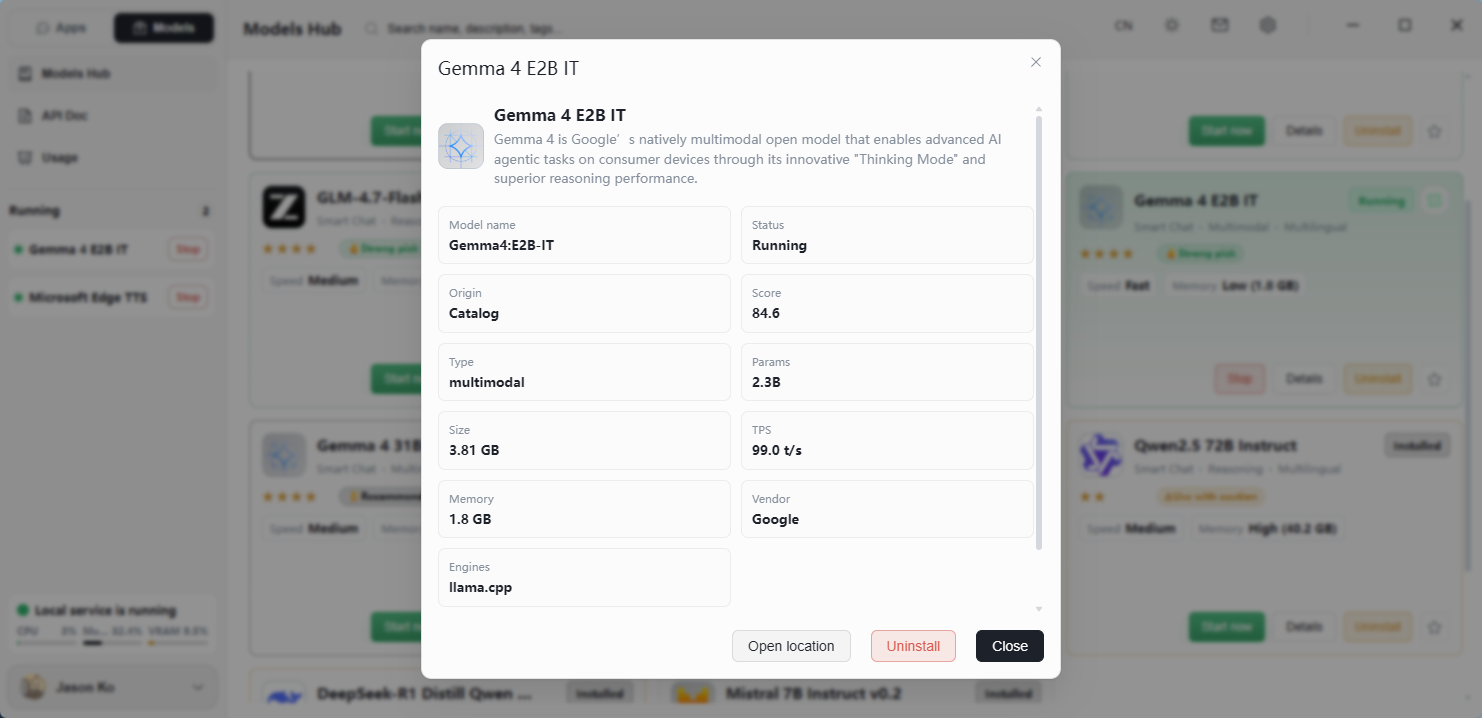
What Does the Parameter Count Mean?
2B = 2 billion parameters.
Parameters can be thought of as the number of "neurons" — a rough indicator of how densely the model represents knowledge:
Gemma 4 E2B is a lightweight model — it may not handle the trickiest questions, but it runs quickly on consumer hardware and is well-suited for daily use.
Why Are There So Many Different Models?
You might be downloading Gemma while a colleague is using DeepSeek or Qwen. There are three main reasons:
- Different vendors — Google, Meta, DeepSeek, Alibaba, and many others each train their own models.
- Different sizes — Each vendor typically releases multiple sizes (2B, 7B, 70B, etc.) for different hardware targets.
- Different focuses — Some excel at Chinese, some at coding, some at efficiency.
You don't need to memorize the landscape. What matters is: with more options available, you can pick the model that best fits your device and use case.
Edge — What the "E" in the Suffix Stands For
The E in Gemma 4 E2B stands for Edge, indicating the edge-deployed variant — a model optimized to run directly on local, resource-constrained hardware (such as laptops, desktops, or edge AI boxes) rather than in a large cloud data center.
A traditional data-center model is like a powerful but power-hungry mainframe. An edge model is more like a compact, energy-efficient appliance:
- Smaller footprint — reduced model file size, memory usage, and disk consumption.
- Lower hardware requirements — runs on typical consumer hardware, often without a professional-grade GPU.
- Faster local response — no network round-trip, so latency is minimal and predictable.
- Privacy by default — inference happens entirely on-device, so input data never leaves your machine.
In short, the "E" suffix means the model trades some peak capability for the ability to run anywhere — which is exactly the use case Herdsman is designed for.
Multimodality — Can the Model "See" Images?
Gemma 4 E2B is a multimodal model.
Unimodal = text only (you type, it replies in text). Multimodal = the model can also understand images.
For example, in FlowyAIPC you could upload a photo of a menu and ask, "Which dish is the spiciest?" The model interprets the image and replies — a practical use case for multimodal capability.
Image Generation, Speech Recognition, etc. — Not the Same Type of Model
A general-purpose LLM like Gemma 4 E2B handles chat and image understanding. But other tasks require different categories of AI models:
Herdsman integrates models of all these categories. Browse the model list and click Download on the one you need.